
Creating a backup of your server is a simple process that you can manage directly from your client area.
To get started, log in to your client area with your usual credentials and select the VPS or VDS server you wish to manage.
-
Scroll down to the middle of the page.
-
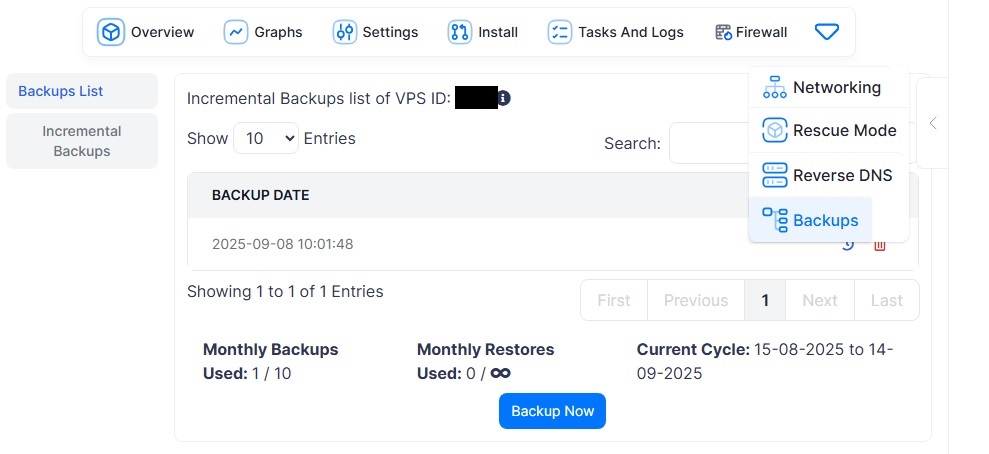
Click on the small downward arrow (as shown in the screenshot).
-
From the dropdown menu, select “Backups.”
Once inside the Backups section:
-
You can create a new backup by pressing the “Backup Now” button.
-
On the left-hand menu, you can choose between:
-
Full Backups
-
Incremental Backups
-
Important Note for VDS servers:
On VDS machines, a full automatic server backup is also included as part of the service.


