
Associate a Floating IP (Additional IP) to a Cloud Server
Floating IPs, are additional public IPs that can be associated with any Cloud Server and moved as needed. In case of Cloud Server deletion, they can be retained and reused within your own datacenter.
Create a Public Floating IP
To add additional IPs to your Cloud Servers, you need to have available public IPs. If none are available, you can request a new one. The assignment is immediate.
- Go to Network → Public IPs.
- Click on Create Public IP.
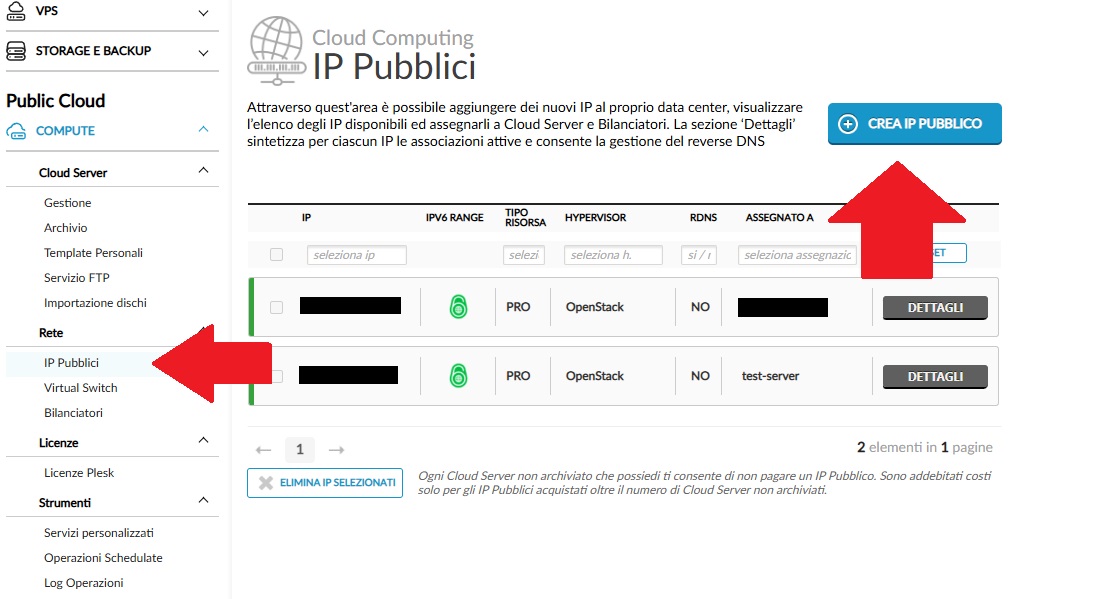
Select the type of public IP you want to create.
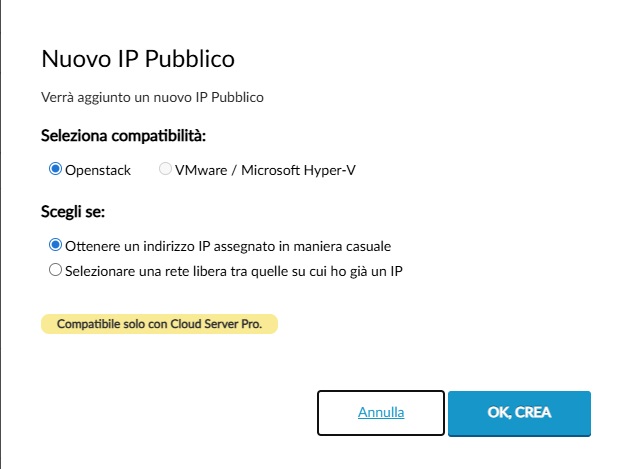
The IP address will be assigned immediately and will be available for association with Cloud Servers.
Associate a Public IP from the Control Panel
To associate a public IP with a Cloud Server, follow these steps:
- In the left-hand menu under COMPUTE, select Cloud Server → Management.
- Locate the Cloud Server to which you want to assign the public IP.
- Click the MANAGE button to open the details page.
- Scroll down to the Network Interfaces section.
- Find the first disconnected interface and click MANAGE IP.
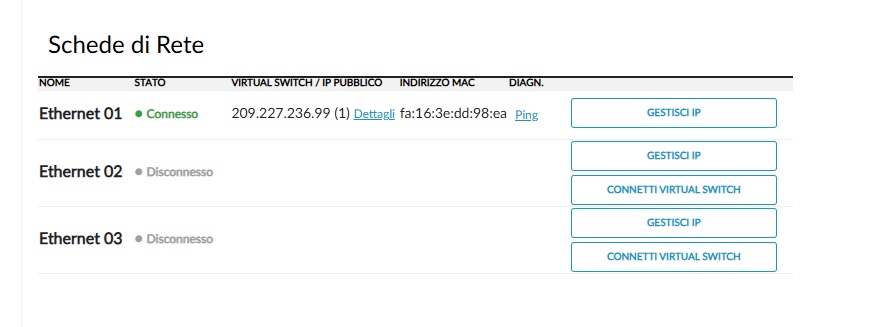
The Manage Public IPs window will appear.
- Under the Public Network section, you can:
- Automatically assign a new public IP (purchase a new IP address).
- Select an existing public IP from the list of unassigned IPs.
To complete the association, click CONFIRM.
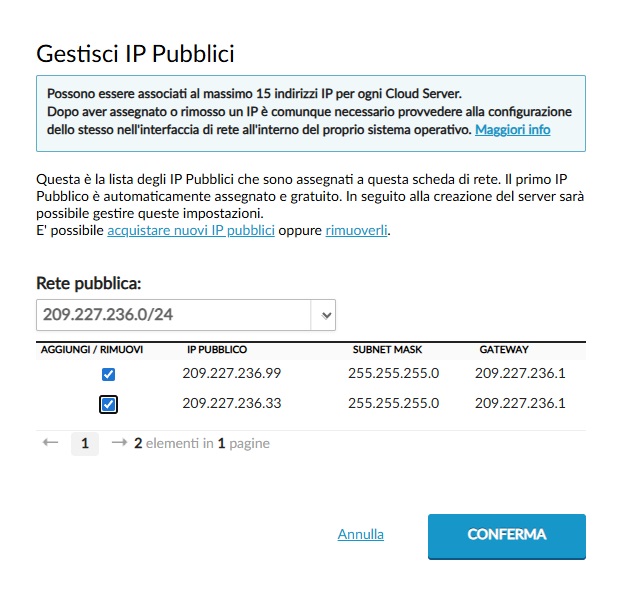
The selected public IP will be immediately associated with the chosen Cloud Server.
Configure the IP in the Operating System
After assigning the public IP, you must configure it within the network interface of your Cloud Server’s operating system. Select the appropriate guide for your system:


